Sign Up & Onboard
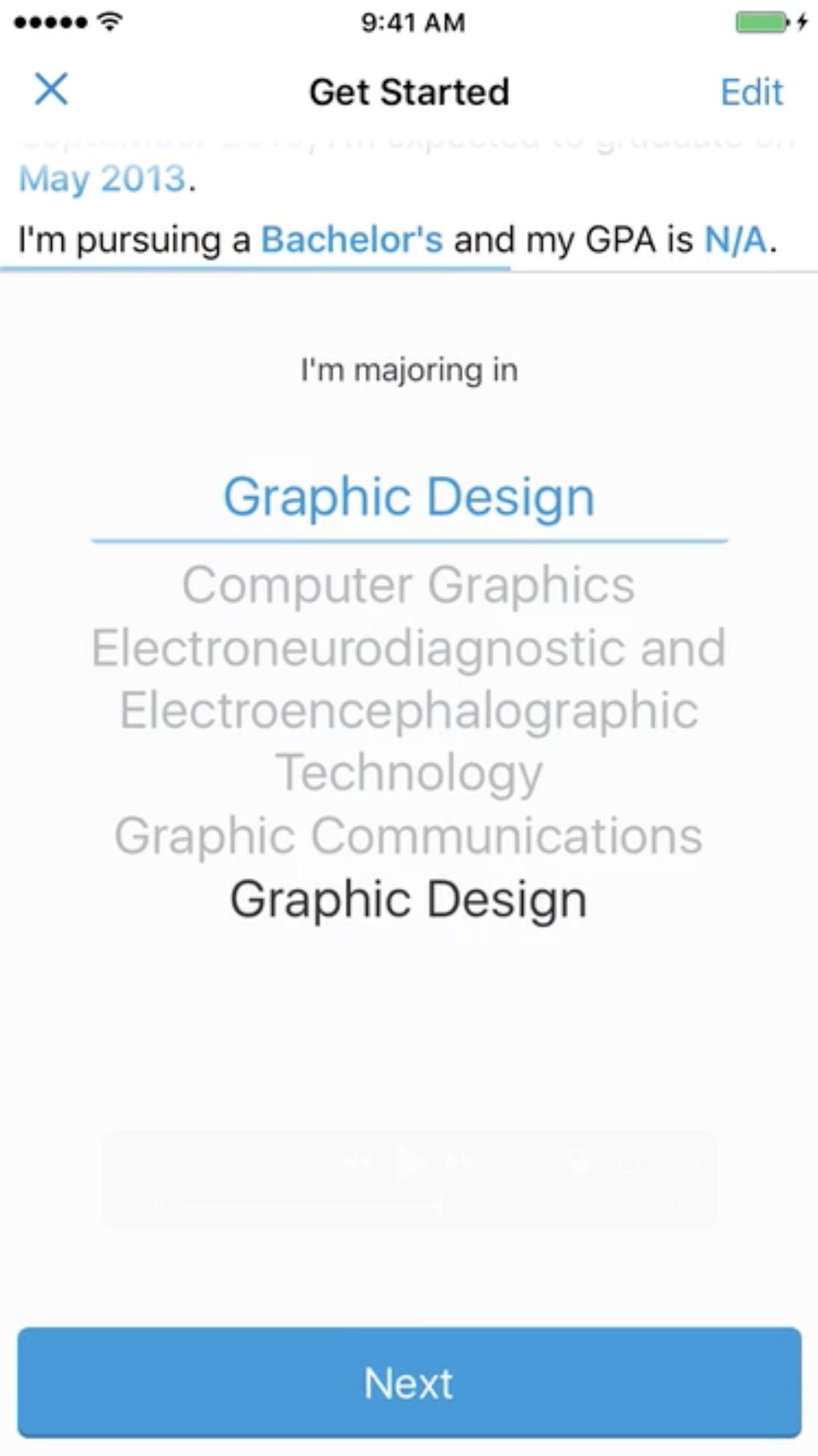
Create an account and build out a profile comprised of information such as location, school, major, and pursued degree to help narrow down listed jobs
WayUp approached me in 2015 to help them design their first iOS app.
Being a start up with a little more than a year under their belt, WayUp had a web app and now wanted to build a new native app with a great re-imagined experience to attract more new users to their platform.
There are 5 major components of functionality WayUp was looking for to make their experience meet business goals and user expectations.
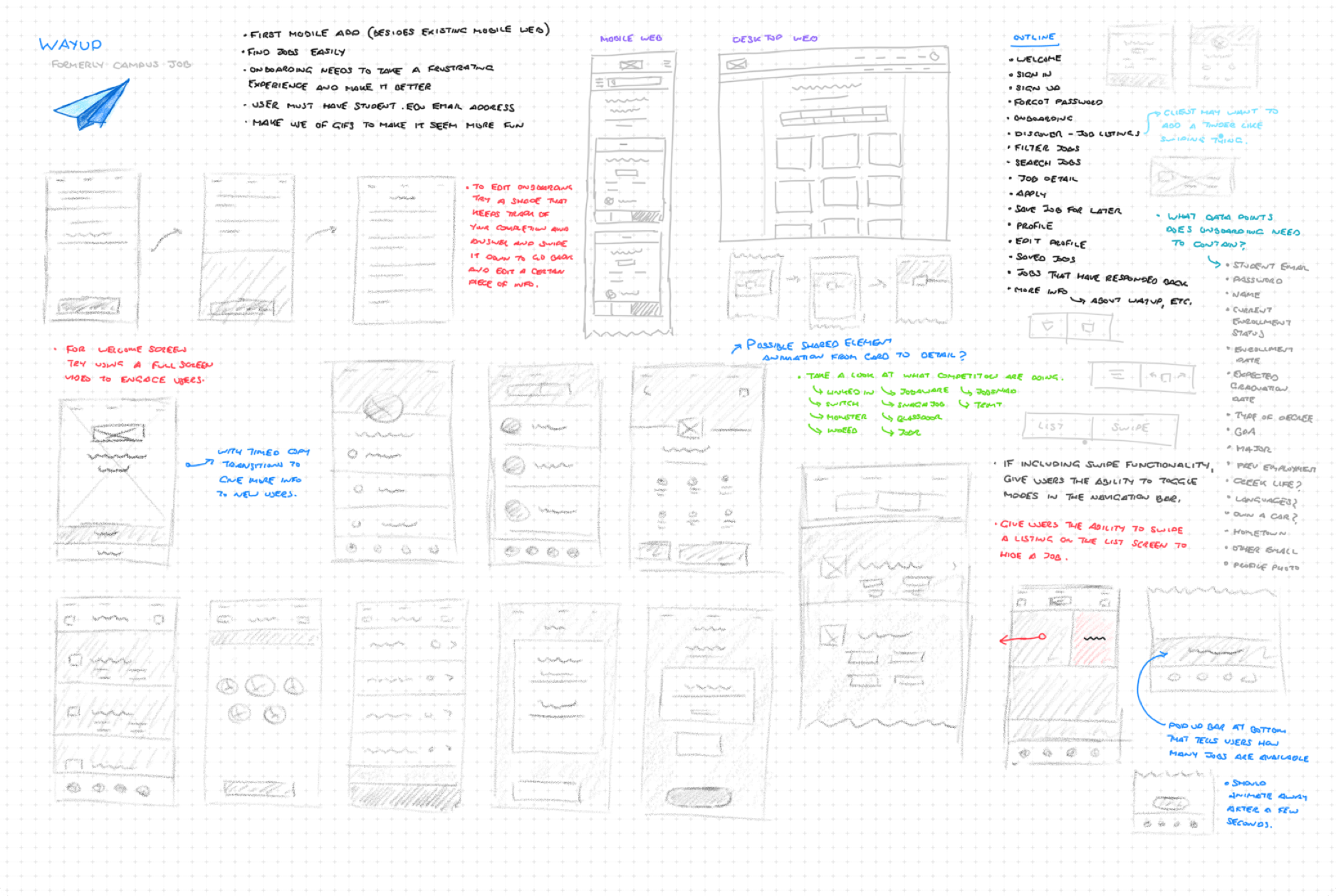
Working with the co-founder and CTO to understand their overall goals and long-term vision for the WayUp app, I began sketching out ideas for workflow, style, information architecture, and interactions.
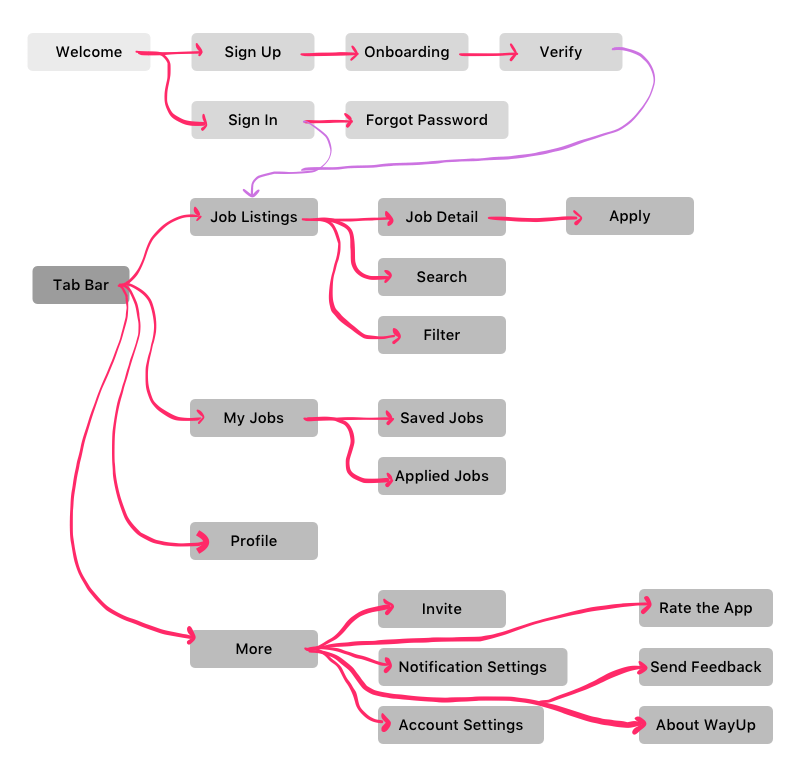
Based on the ideation and with feedback from stakeholders, I then began working on the overall user flow mapping, determining how the user would work with the app to sign up, go through an onboarding process to provide crucial information to shape their experience, discover and search for job listings, apply for those positions, and keep track of listings they've applied to.
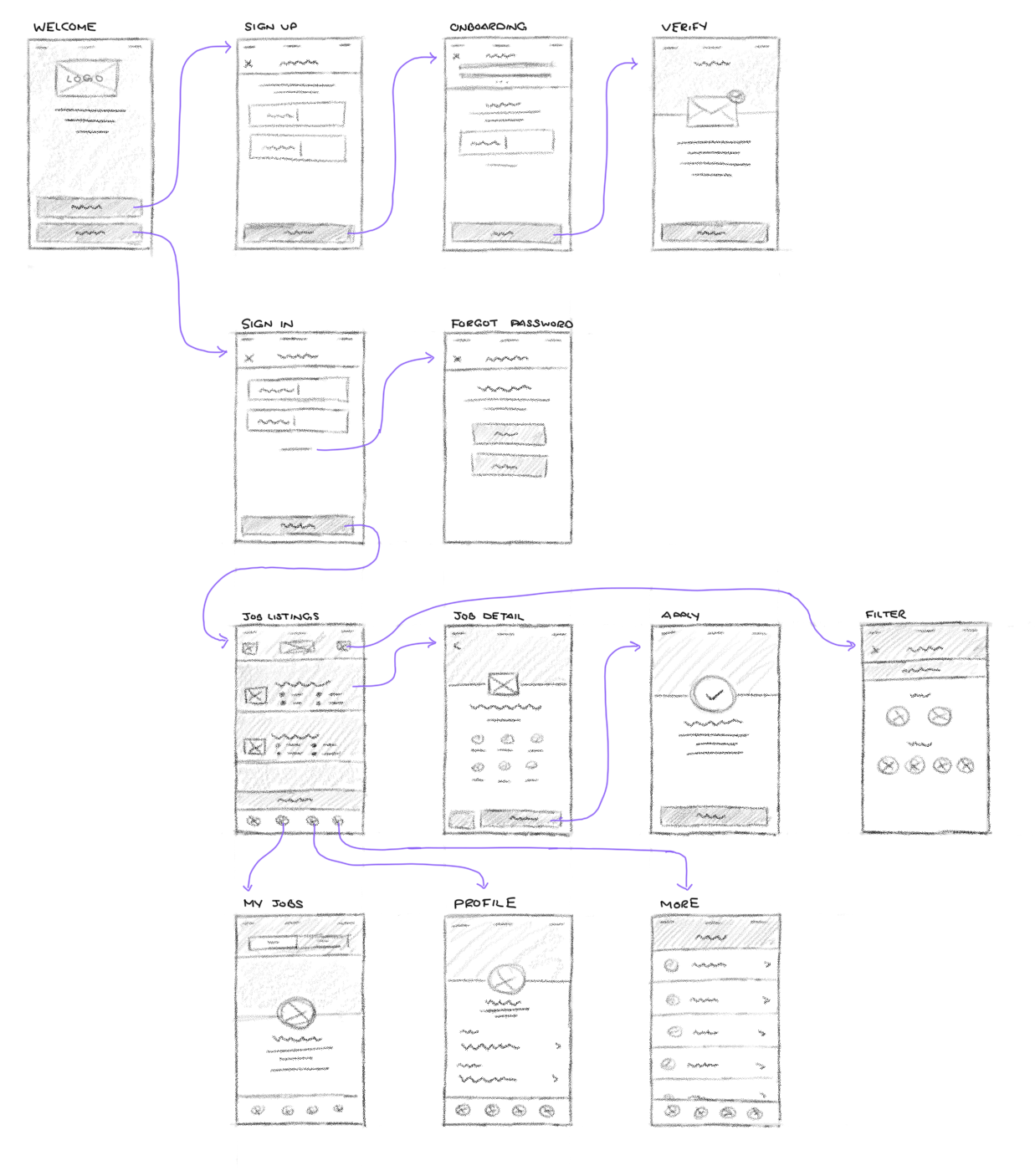
After we nailed down the overall user flow and the mapping of the interactions and touch points, I started to create the wireframes in a sketch form to start rounding out the experience and experimenting with how layouts could potentially look.
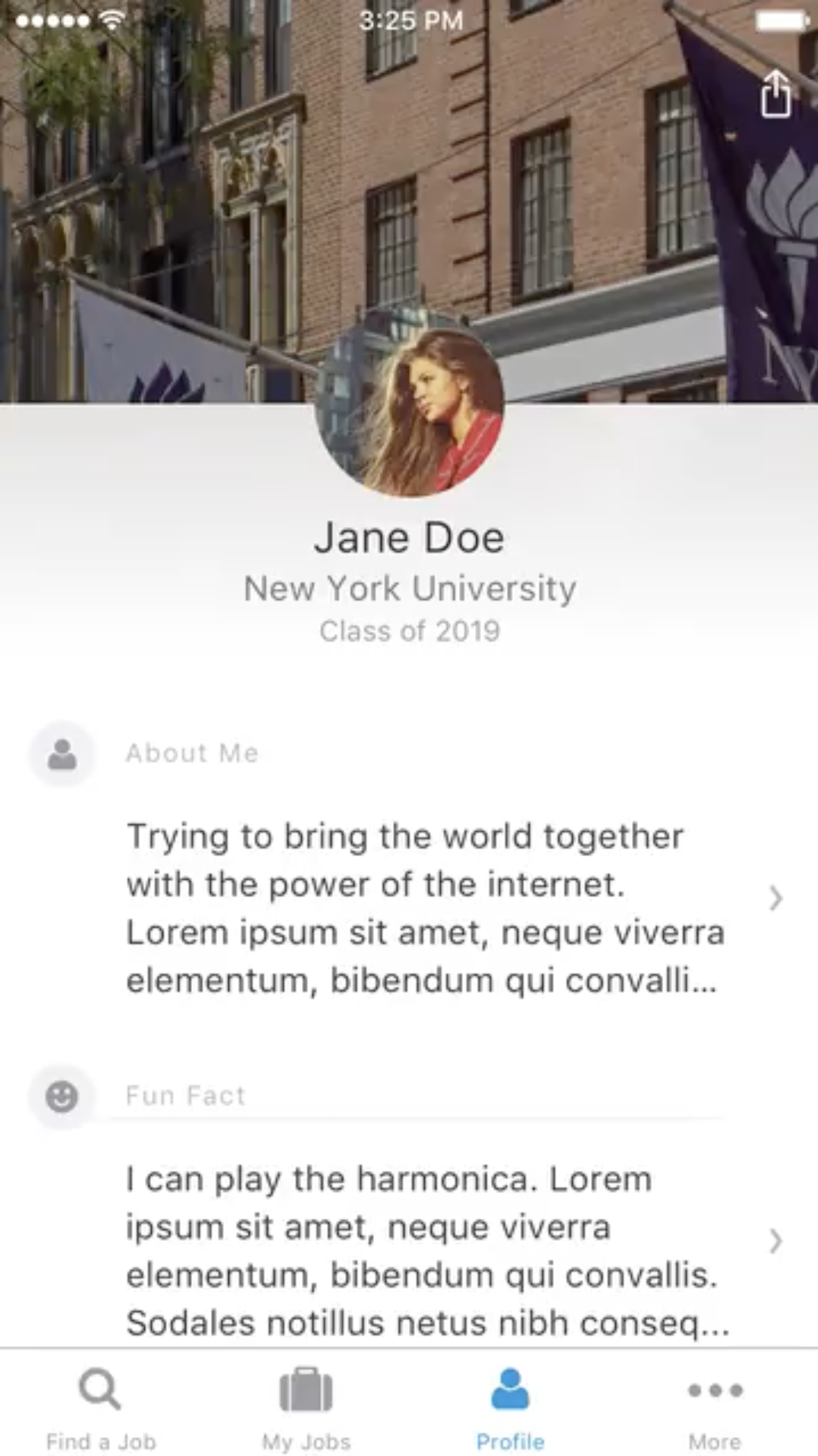
Using our user flow mapping, wireframes, and colors defined from the brand I then began to craft the high fidelity designs and interaction design using Sketch and a prototyping tool called Pixate.
Create an account and build out a profile comprised of information such as location, school, major, and pursued degree to help narrow down listed jobs
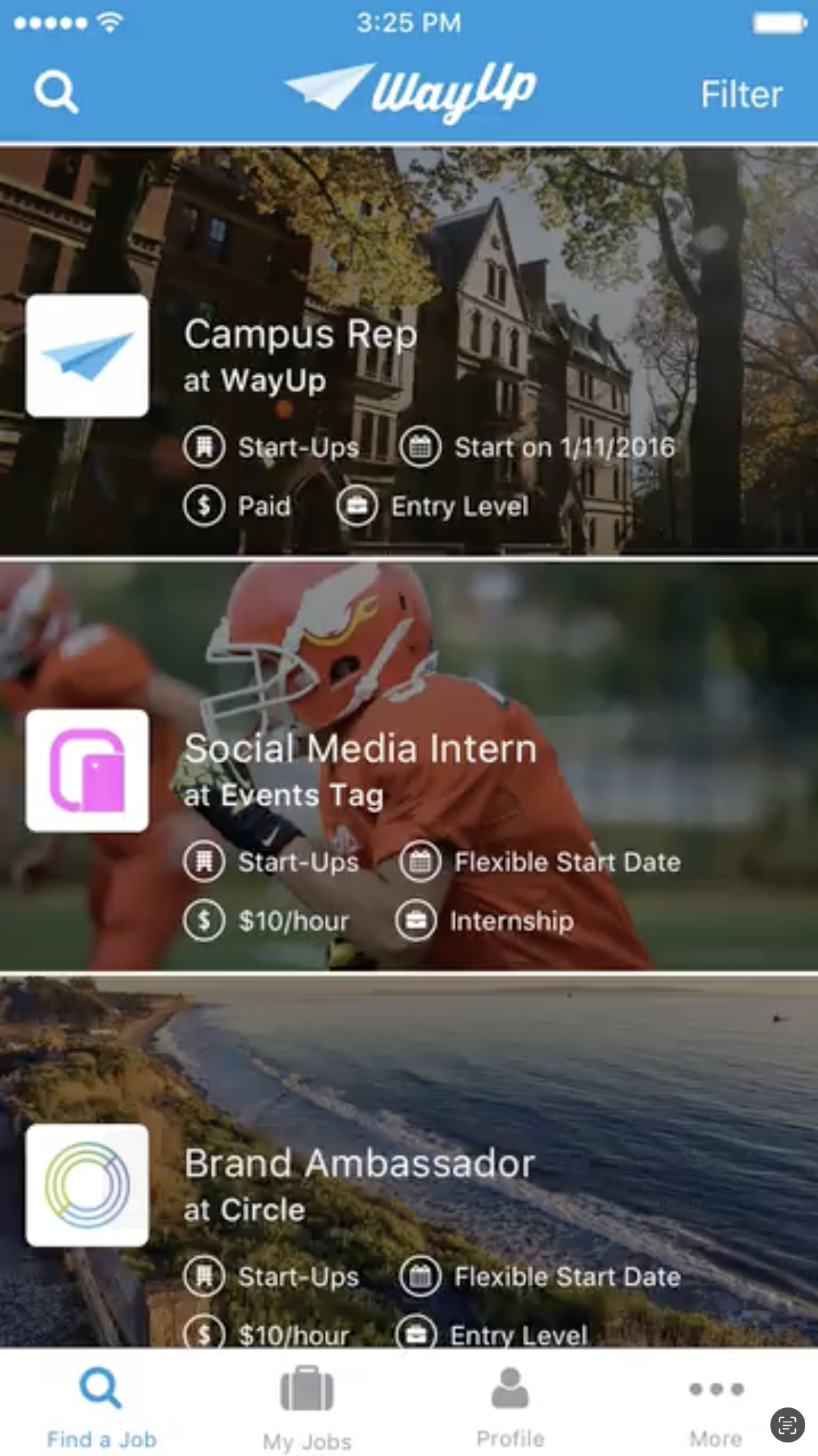
Discover jobs from companies that relate most to you
Fill out more information about yourself so that when you apply to jobs, companies understand you as a candidate more holistically
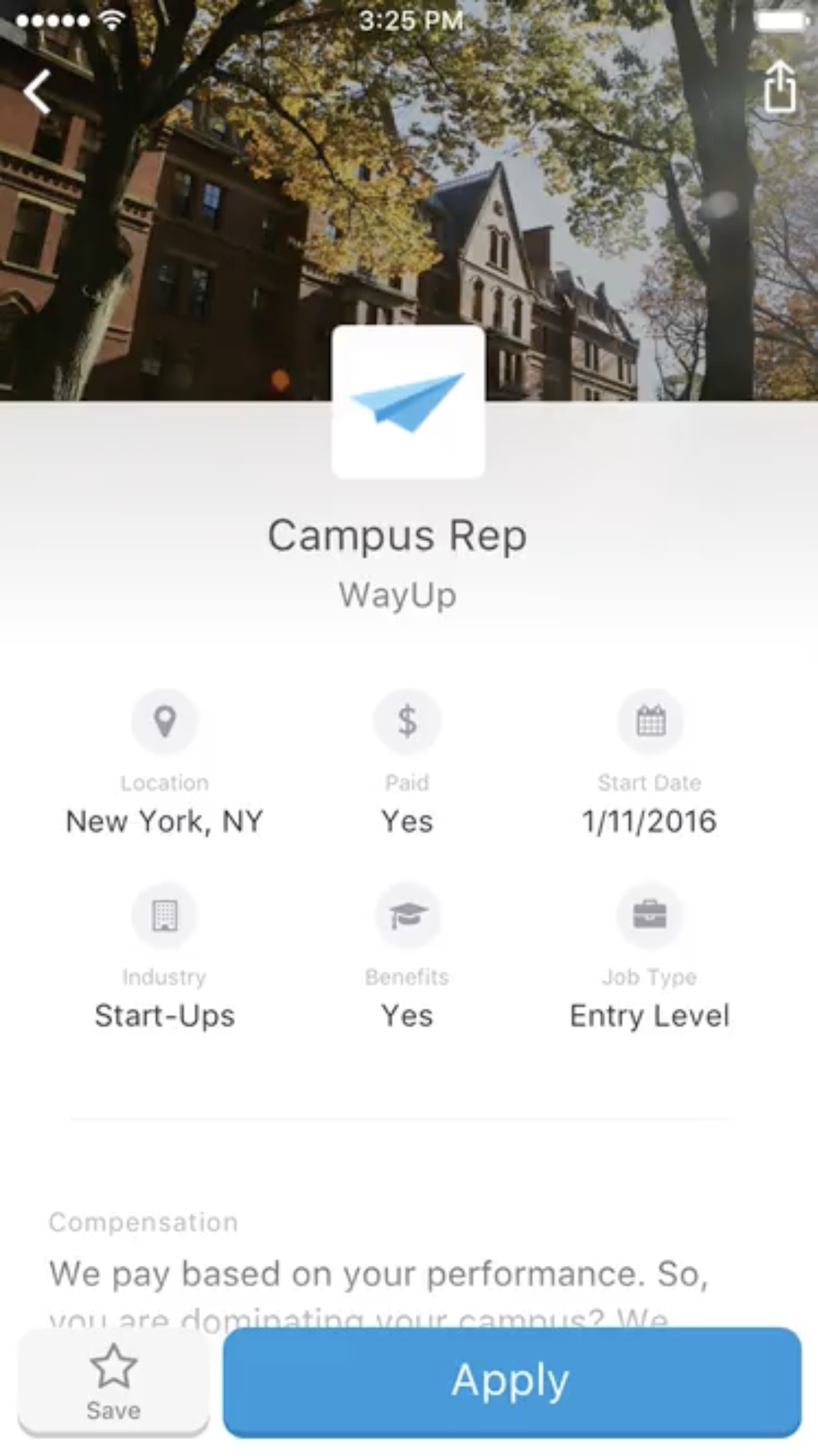
See the details of the selected job and be able to easily apply to it
See the jobs you've applied to and the get the status of where they're at
After spending a few months of design and then more time working WayUp's and their developer, we were able to design, build. and fully realize this intuitive iOS app.
As we designed and built the app we were constantly testing with college students across campuses and received great feedback.
While the design and product has since been updated from my time working on it, the knowledge gained throughout the experience would go on to help inform future decision making and design choices with future products and companies.