Find Opportunities
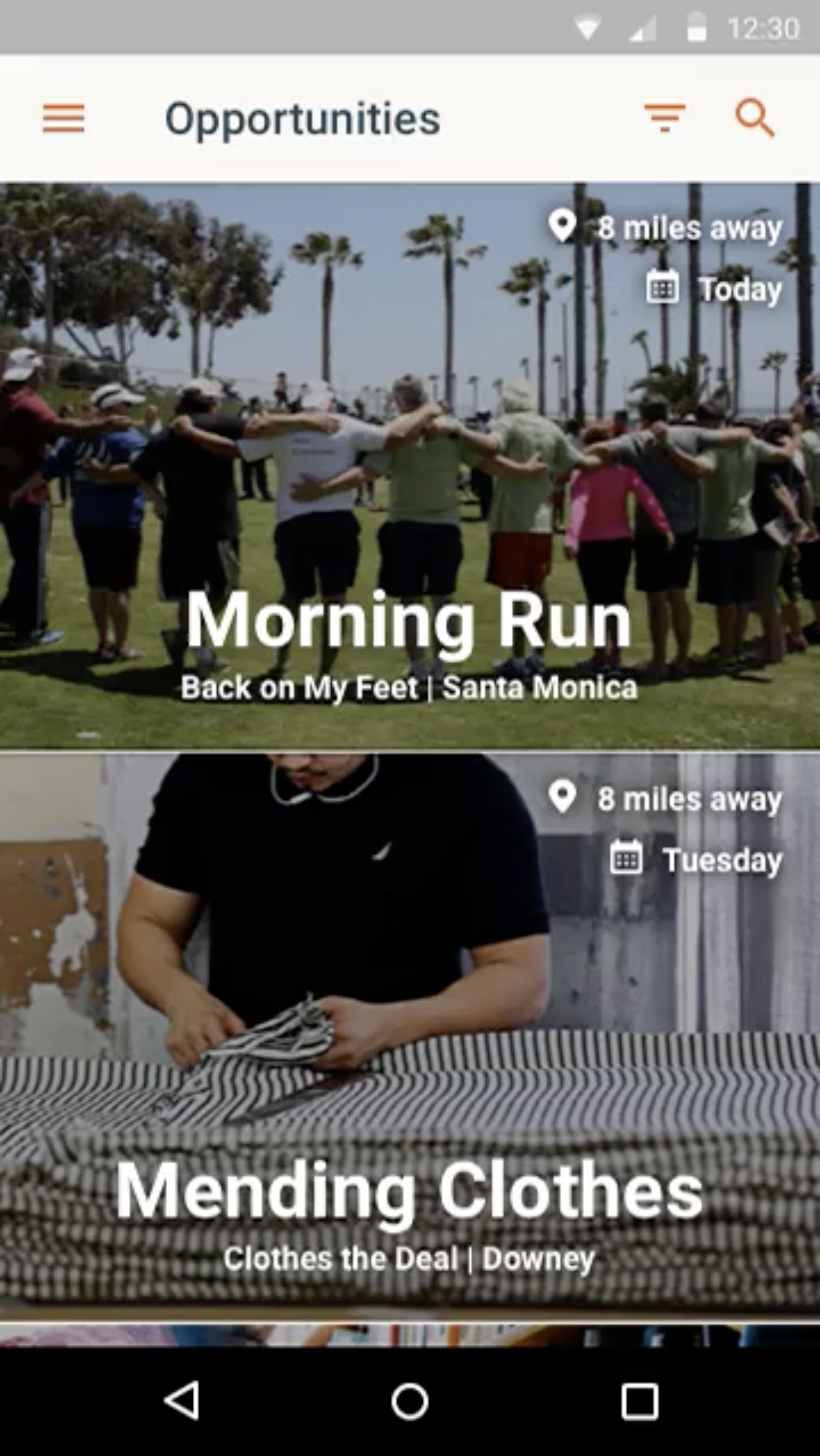
Discover volunteering opportunities around your current location. Use the filter to narrow the opportunities down to days and times you know you'll be available.
Golden approached me in 2016 to design their first iOS and Android apps.
They wanted to build a platform that would easily allow and entice users to better their community and join volunteering opportunities.
There are 5 major components of functionality to make this experience meet business goals and user expectations.
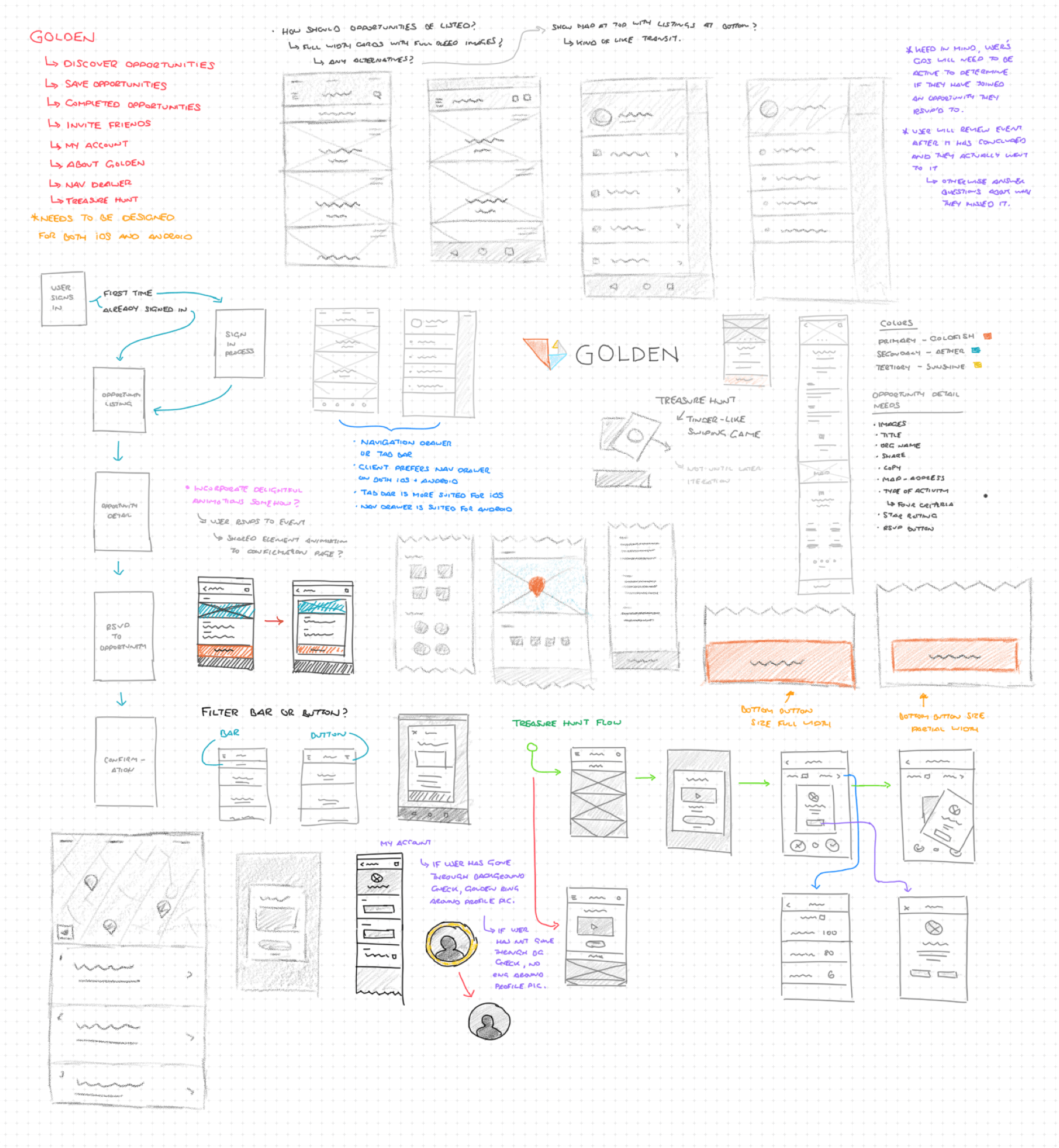
Working with the founder to understand his overall goals and long-term vision for the Golden app, I began sketching out ideas for workflow, style, information architecture, and interactions.
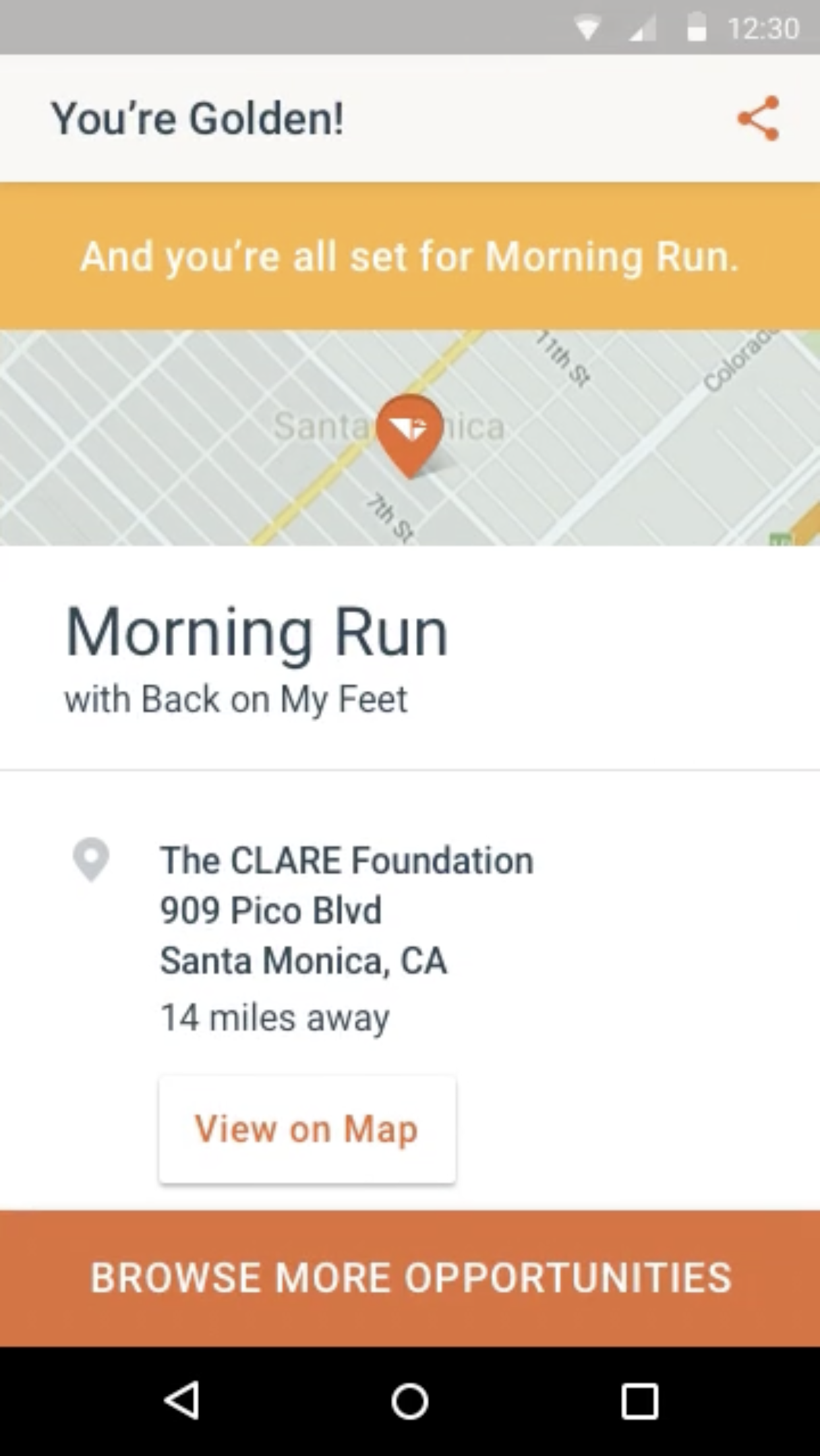
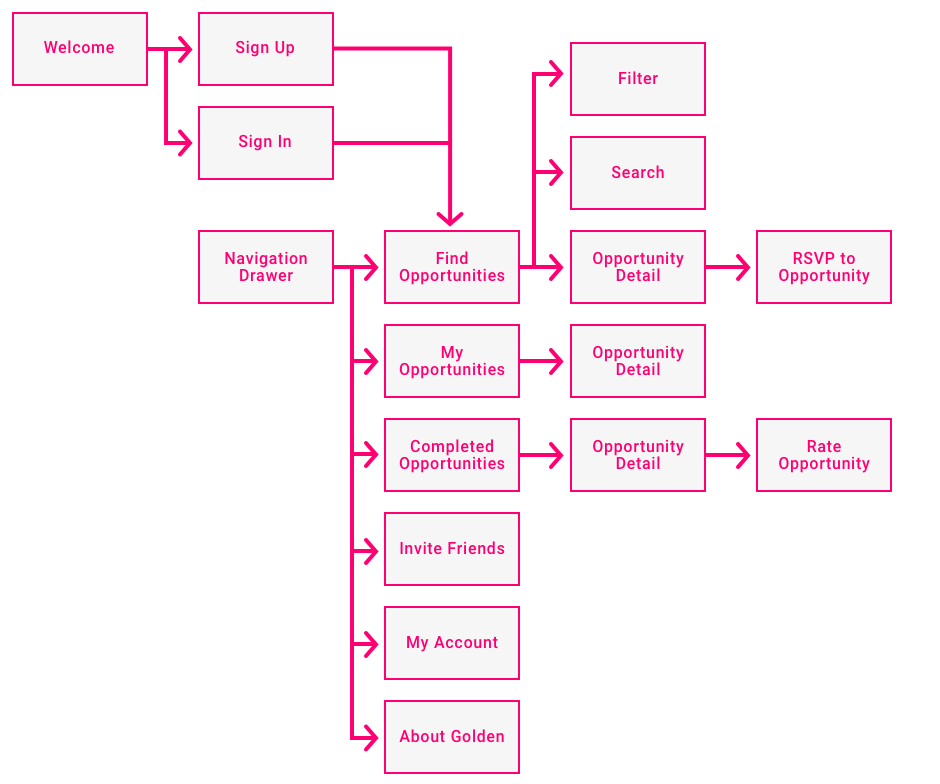
Based on the ideation and with feedback from the founder, I then began working on the overall user flow mapping, determining how the user would work with the app to find volunteering opportunities, rsvp to them, and rate them when completed.
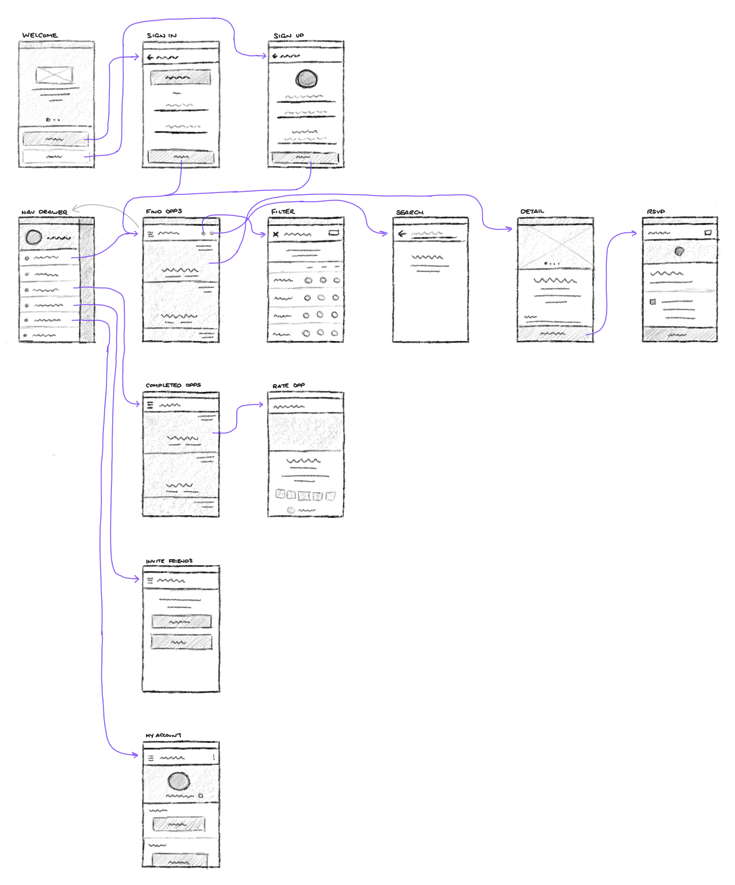
After we nailed down the overall user flow and mapping the interactions and touch points, I started to create the wireframes in a sketch form to start rounding out the experience and experimenting with how layouts could potentially look.
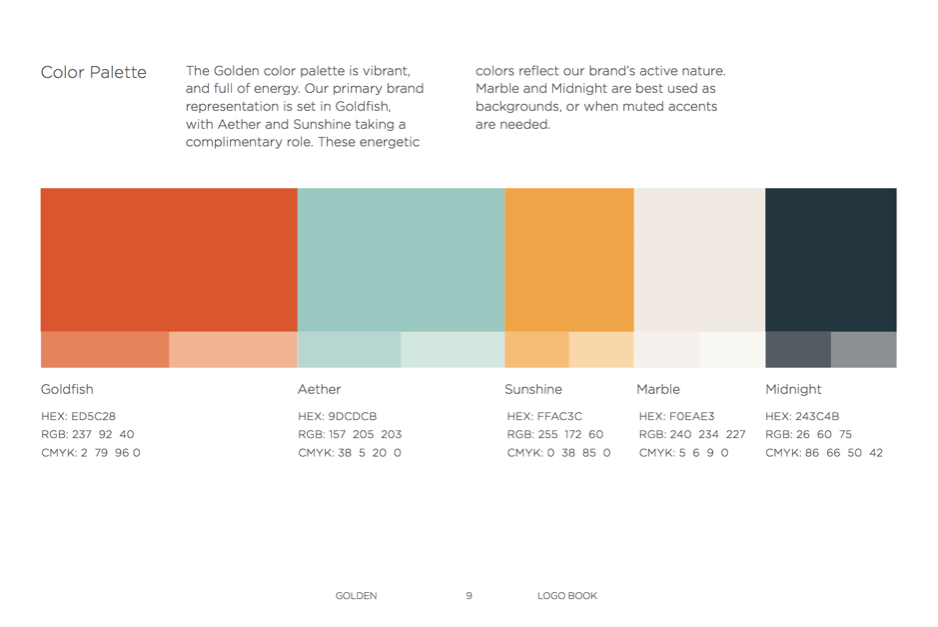
To start thinking about creating the high fidelity designs, it's important to understand the overall branding and style guidelines.
The founder had some branding work done to help determine the overall style and look of the Golden brand which went on to inform the design of the website and which we'll use now to determine the overall look and feel of the app.
The amount of colors used is fairly limited, focusing on pastel-like colors.
We have a primary red-orange and secondary options of a light blue and a golden yellow.
Using our user flow mapping, wireframes, and style guide I then began to craft the high fidelity designs and interaction design using Sketch and a prototyping tool called Pixate.
Discover volunteering opportunities around your current location. Use the filter to narrow the opportunities down to days and times you know you'll be available.
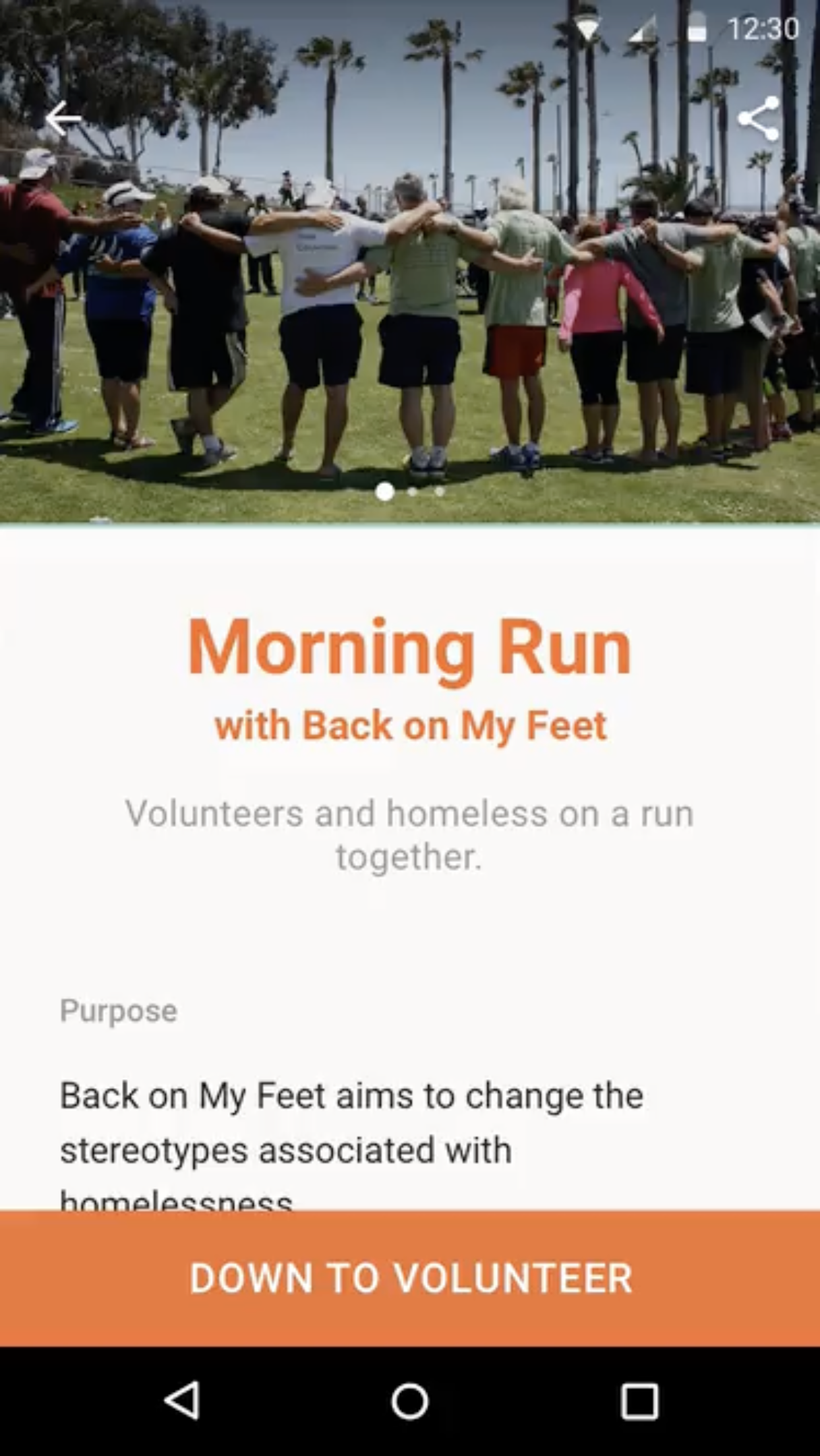
Check out the details for opportunities including the purpose, your role, the atmosphere, rating, and the ability to easily register for them.
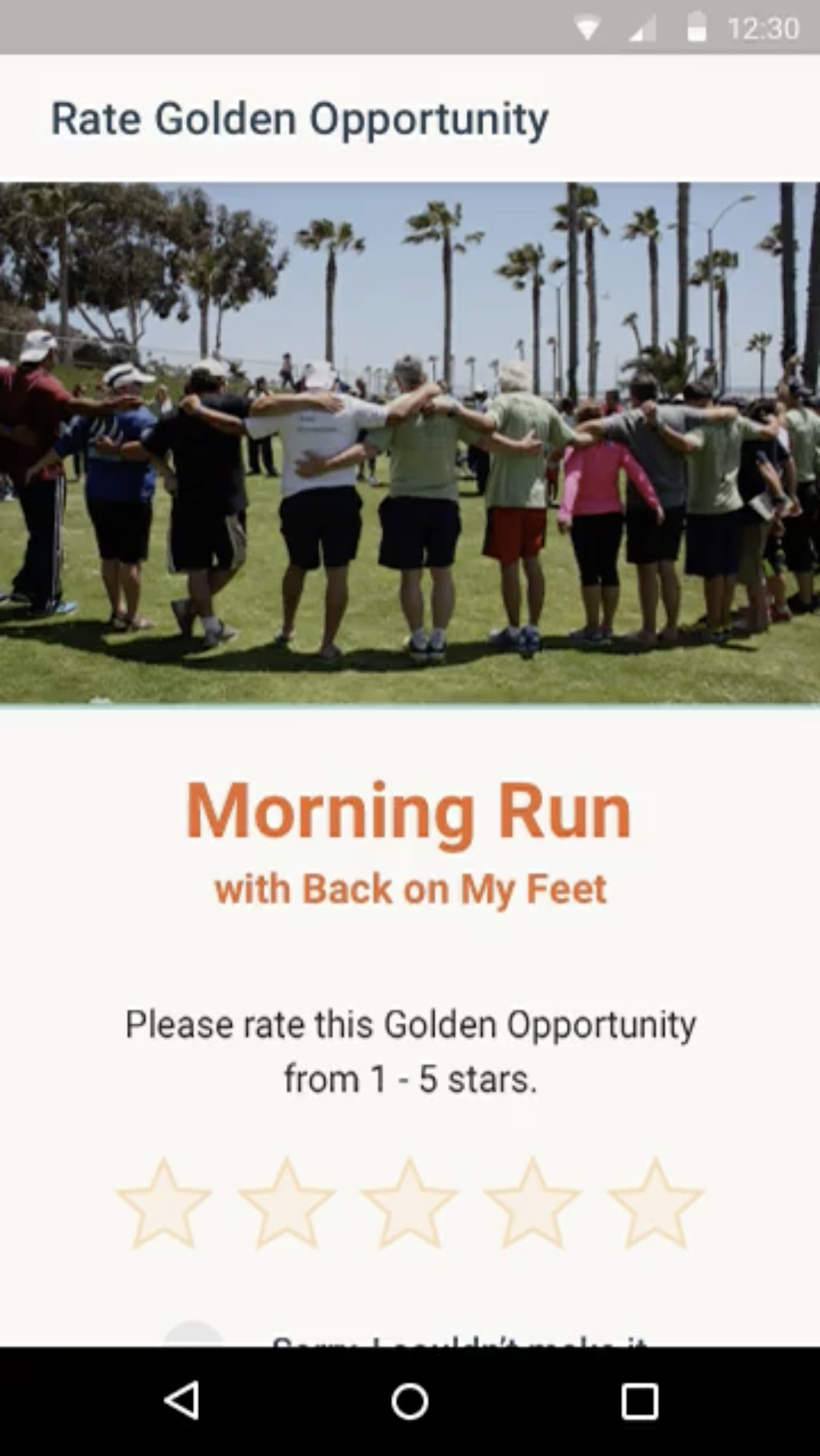
Rate the opportunity and upload photos of the event that you took.
Filter down the list of volunteering opportunities, start your background check, and fill out more information about yourself.
Complete a background check to make it easier for organizations verify you.
The Android app for Golden was available on Google Play starting in the middle of 2016.
While it has since been updated, the iteration featuring my work went on to receive numerous commendations such as the 2017 Facebook Social Good App of the Year and was the 2017 Webby Honoree for Public Service and Activism.